Ever since the last server upgrade, every time I re-boot or power goes out, I have to sign in to get my MJ to fully load and be operational.
I tried one suggested "fix" that did not work.
FIX: Unplug MJ
Delete MJ folder in app data
Plug in MJ
Let load and set-up.
Sign in.
(now on a ThinClient I did a commit after signing in then re-booted)... No change, still have to sign in.
Anyone know of a different fix?
Sign In .... Sign In ..... Sign In
Moderators: Bill Smith, Pilot
-
HendersonMike
- Dan isn't smart enough to hire me
- Posts: 274
- Joined: Wed Apr 09, 2008 9:36 pm
- Location: Henderson, Nevada state, usA
-
mozerd
- MagicJack Contributor
- Posts: 52
- Joined: Thu Jun 05, 2008 11:22 am
- Location: Nepean ON Canada
- Contact:
The very same happened to me when I upgraded my TC from 256/256 to 512/512
The following worked:
1. Control Panel highlight magicJack.exe then End Process
2. Delete C:\Documents and Settings\Administrator\Application Data\mjusbsp
3. Delete Z:\Administrator\Local Settings\Application Data\tjnet
4. Quick Format the magicJack virtual drive D:\ [assuming that the MJ virtual drive is D:\]
5. Delete all folders and files from the magicJack virtual CD drive E:\ [assuming that the MJ CD drive is E:\]
6. Remove MJ from its USB interface wait a few seconds THEN re-insert the MJ back into it's USB interface
7. The MJ should now start the re-install of the software
8. When MJ prompts you - enter your ID/password and wait for Ready to Call to appear on the soft-phone
9. COMMIT then restart your TC
The following worked:
1. Control Panel highlight magicJack.exe then End Process
2. Delete C:\Documents and Settings\Administrator\Application Data\mjusbsp
3. Delete Z:\Administrator\Local Settings\Application Data\tjnet
4. Quick Format the magicJack virtual drive D:\ [assuming that the MJ virtual drive is D:\]
5. Delete all folders and files from the magicJack virtual CD drive E:\ [assuming that the MJ CD drive is E:\]
6. Remove MJ from its USB interface wait a few seconds THEN re-insert the MJ back into it's USB interface
7. The MJ should now start the re-install of the software
8. When MJ prompts you - enter your ID/password and wait for Ready to Call to appear on the soft-phone
9. COMMIT then restart your TC
David Mozer
IT-Expert on Call
Information Technology for Home and Business
IT-Expert on Call
Information Technology for Home and Business
-
HendersonMike
- Dan isn't smart enough to hire me
- Posts: 274
- Joined: Wed Apr 09, 2008 9:36 pm
- Location: Henderson, Nevada state, usA
-
mozerd
- MagicJack Contributor
- Posts: 52
- Joined: Thu Jun 05, 2008 11:22 am
- Location: Nepean ON Canada
- Contact:
re #4: if the option to Format is not available to you just Delete all the contents of the "D" drive.HendersonMike wrote:I can do everything you listed except #4... I right clicked the "D" drive and no "quick format" was listed let alone any format option.
David Mozer
IT-Expert on Call
Information Technology for Home and Business
IT-Expert on Call
Information Technology for Home and Business
-
HendersonMike
- Dan isn't smart enough to hire me
- Posts: 274
- Joined: Wed Apr 09, 2008 9:36 pm
- Location: Henderson, Nevada state, usA


-
mozerd
- MagicJack Contributor
- Posts: 52
- Joined: Thu Jun 05, 2008 11:22 am
- Location: Nepean ON Canada
- Contact:
Describe the configuration [make, model, memory, etc] of your Thin Client -- and how has your TC been changed from the factory installed defaults?
David Mozer
IT-Expert on Call
Information Technology for Home and Business
IT-Expert on Call
Information Technology for Home and Business
-
HendersonMike
- Dan isn't smart enough to hire me
- Posts: 274
- Joined: Wed Apr 09, 2008 9:36 pm
- Location: Henderson, Nevada state, usA
-
HendersonMike
- Dan isn't smart enough to hire me
- Posts: 274
- Joined: Wed Apr 09, 2008 9:36 pm
- Location: Henderson, Nevada state, usA
Transferred my MJ back to the main computer to see if I still had to log in each time, and , yep, still had to (making sure it wasn't a ThinClient thing).
Went to "live chat support"
Talked with Maxwell
Told him my constant having to log in problem.
He had me click on the XP/Vista upgrade link.
Link would not work but I told him .... OK....Did it. (but did not do it)
He said he was going to re-fresh the servers on his side.
While I was waiting, I re-started MJ and had to log in. Did it 2 more times and the same thing.
He asked that if there was anything else.
I told him I had to re-log in 3 times since he re-freshed...
[pause][pause][pause]
He said he was going to transfer me to higher tech support.
While I was waiting on that, I decided to run that "upgrade" (all ready had it in my MJ installers folder).
Ran it - - worked like a charm - - No log on.
Re-started MJ 4 more times - - Success!!
OK...... Got it fixed.
So now, I plug it back into the ThinClient where it belongs.
Loading - loading - loading and then I get this -->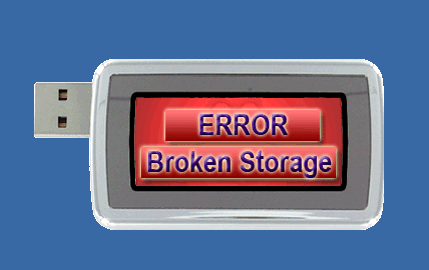
CRAP!!!!
Soooo ........ Put it back on the big comp and ------ same thing.
UGH!
Try this upgrade - - - Try that downgrade - - Nothing is working.
So, go back to tech chat and b4 I go to live, I put "ERROR BROKEN STORAGE" into the search box and I get "Please go my computer and locate the drive named Vista Only, Phone, or removable disk (make sure it is the magicJack drive). Right click that drive, click format, and click start. Unplug magicJack, wait 15 seconds, and plug magicJack back in".
So I format that drive, unplug, come back, plug in. WALLAH! After installing - MJ pops right up and ready to go !!
Do a few re-starts and good to go!!
Now, hesitation/fear sets in.
Gotta put it back on the ThinClient.
So ..... I do an lo & behold ........ Everything is Kosher.
Do 4 MJ re-starts -- No log on !!
Do a commit
Shut ThinClient down
Go make up my iced-tea jug.
Start the ThinClient back up.
MJ loads and ready to rock with NooOOOOOoooOOOOOoo log on.

Sorry, but I don't have one of those "live tech chat" horror stories for you. My session went quite satisfactory.
OK.... Back to being a happy camper again.............
Went to "live chat support"
Talked with Maxwell
Told him my constant having to log in problem.
He had me click on the XP/Vista upgrade link.
Link would not work but I told him .... OK....Did it. (but did not do it)
He said he was going to re-fresh the servers on his side.
While I was waiting, I re-started MJ and had to log in. Did it 2 more times and the same thing.
He asked that if there was anything else.
I told him I had to re-log in 3 times since he re-freshed...
[pause][pause][pause]
He said he was going to transfer me to higher tech support.
While I was waiting on that, I decided to run that "upgrade" (all ready had it in my MJ installers folder).
Ran it - - worked like a charm - - No log on.
Re-started MJ 4 more times - - Success!!
OK...... Got it fixed.
So now, I plug it back into the ThinClient where it belongs.
Loading - loading - loading and then I get this -->
CRAP!!!!
Soooo ........ Put it back on the big comp and ------ same thing.
UGH!
Try this upgrade - - - Try that downgrade - - Nothing is working.
So, go back to tech chat and b4 I go to live, I put "ERROR BROKEN STORAGE" into the search box and I get "Please go my computer and locate the drive named Vista Only, Phone, or removable disk (make sure it is the magicJack drive). Right click that drive, click format, and click start. Unplug magicJack, wait 15 seconds, and plug magicJack back in".
So I format that drive, unplug, come back, plug in. WALLAH! After installing - MJ pops right up and ready to go !!
Do a few re-starts and good to go!!
Now, hesitation/fear sets in.
Gotta put it back on the ThinClient.
So ..... I do an lo & behold ........ Everything is Kosher.
Do 4 MJ re-starts -- No log on !!
Do a commit
Shut ThinClient down
Go make up my iced-tea jug.
Start the ThinClient back up.
MJ loads and ready to rock with NooOOOOOoooOOOOOoo log on.
Sorry, but I don't have one of those "live tech chat" horror stories for you. My session went quite satisfactory.
OK.... Back to being a happy camper again.............