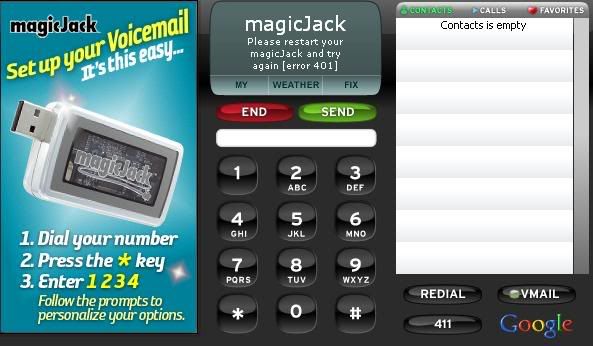
I am new here.I hope someone can help me. I am getting a error message when I startup my MJ. I tried reboot computer,leaving MJ unplug for 10 min=No help. It shows
"please restart your magicjack and try again [error 401]"
If you have a firewall try to disable it and see if the MJ works. OR you may have to add MagicJack.exe to the firewall as an ok file to run.
IF you do not have a firewall have you tried it on a different USB port? A different PC?
bitstopjoe wrote:If you have a firewall try to disable it and see if the MJ works. OR you may have to add MagicJack.exe to the firewall as an ok file to run.
IF you do not have a firewall have you tried it on a different USB port? A different PC?
Joe Sica
Joe, Thanks 4 replying
I have Zonealarm. Can you walk me through to see if it set right. also the computer clock is set correct. The ZoneAlarm went through update day ago.
Chances are Zone Alarm has an ICON in the lower right of your screen
Try to right click on that icon and see if there is a disable or exit. Try both if one doesnt work.
See if that helps.
YEARS ago I had many problems with Zone Alarm which didnt go away untill I uninstalled it!! I now use Comodo and it is very very good and very very free. My MJ works just fine with it ( other than getting beeps now since MJ did an update this past Tuesday.
magicjack327 wrote:I am new here.I hope someone can help me. I am getting a error message when I startup my MJ. I tried reboot computer,leaving MJ unplug for 10 min=No help. It shows
"please restart your magicjack and try again [error 401]"
I got the exact same error this morning. Downloaded the upgrade.exe from MJ website fixed it.
ADMIN, please consoldate to my thread totled " No serial number passed." Am working on a soltuion with a 'higher authority'. This is a COMMON problem which there is no solution at this time. Thanks.